Instructions to create your first service area registration
- Login to Exactix and select Service Areas from the menu on the left.
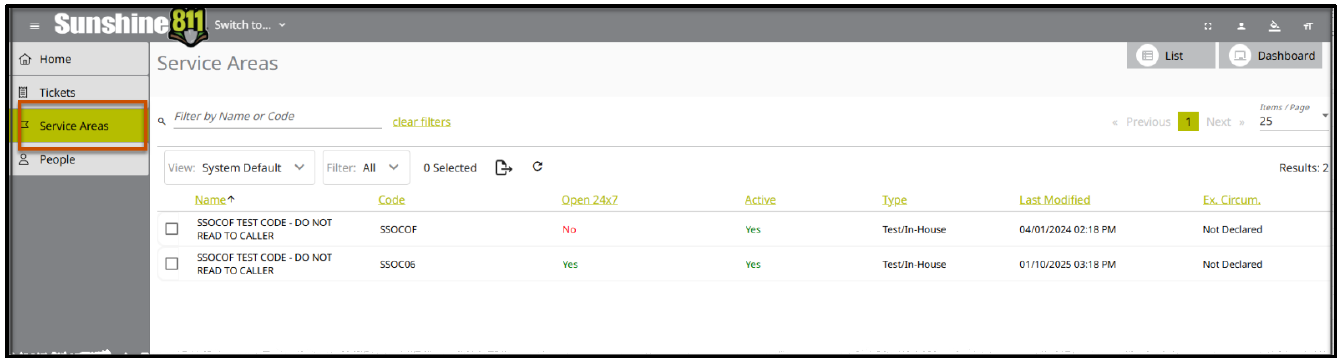
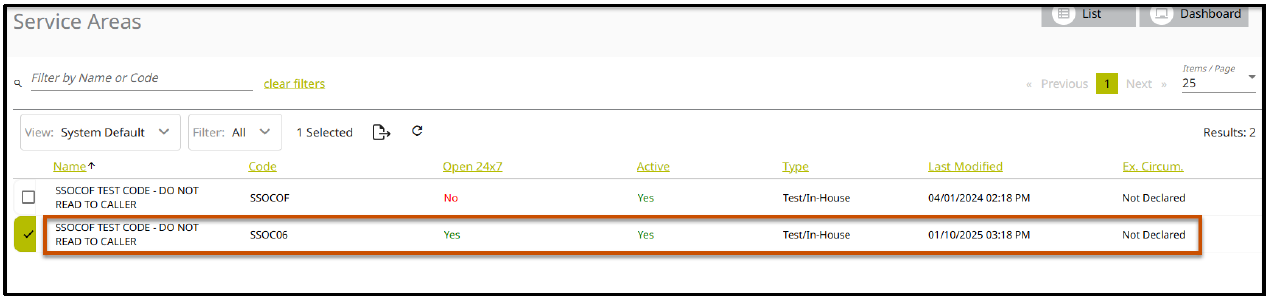
- Click to select your service area (Note: if your login is attached to multiple service areas, you will see multiple listings).
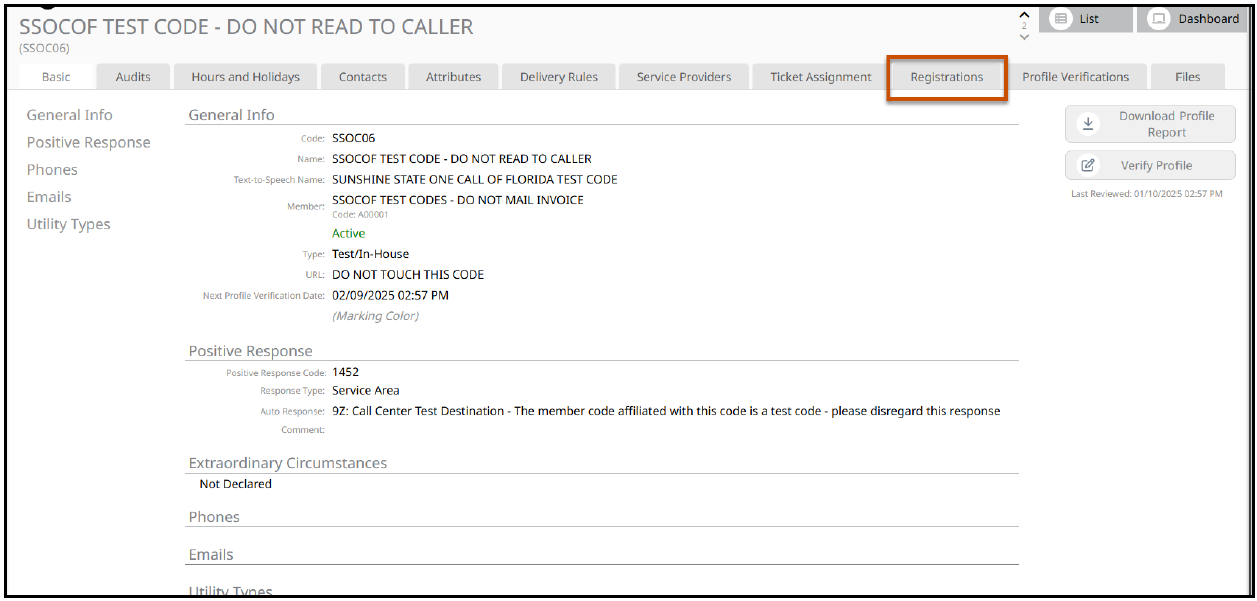
- Select the Registrations tab.
- Click 'Add' on the right-hand side of the screen.

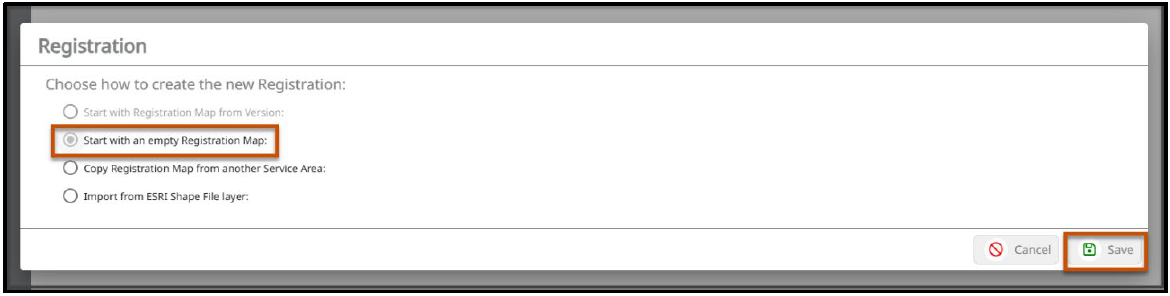
- Choose how to create the new Registration:
To Add Service Area Manually
- Click the radio button to 'Start with an empty Registration Map. Then choose 'Save'.
- Click 'View Map'.

- The map showing the state of Florida will open.
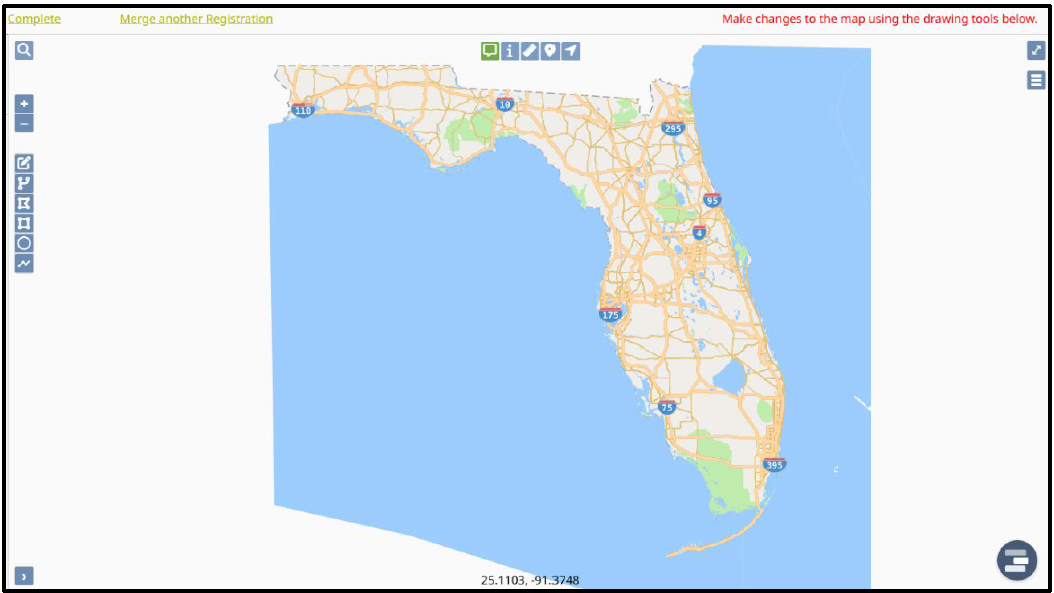
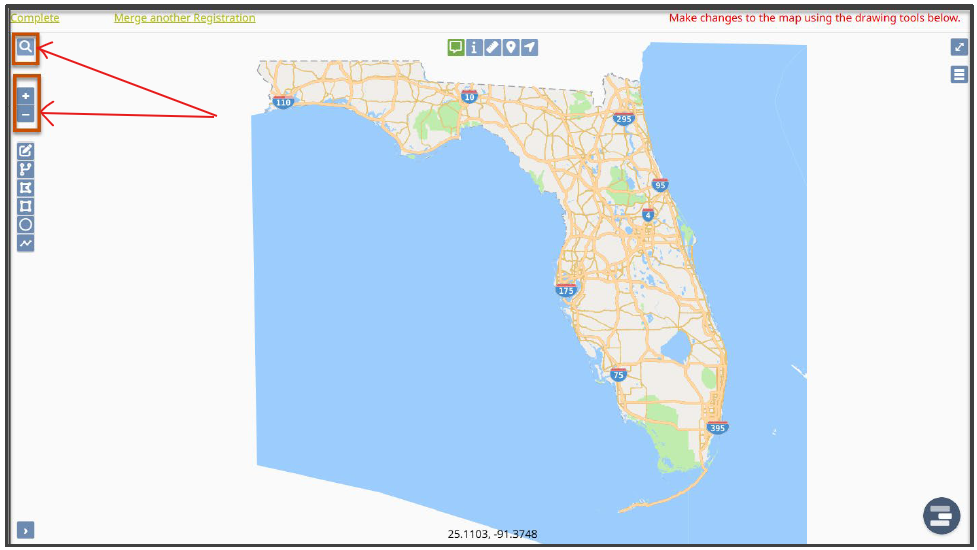
- Use the magnifying glass at the top left corner to search for streets, points of interest, etc. You may also zoom in on the area using the plus and minus signs on the left, or use your mouse.
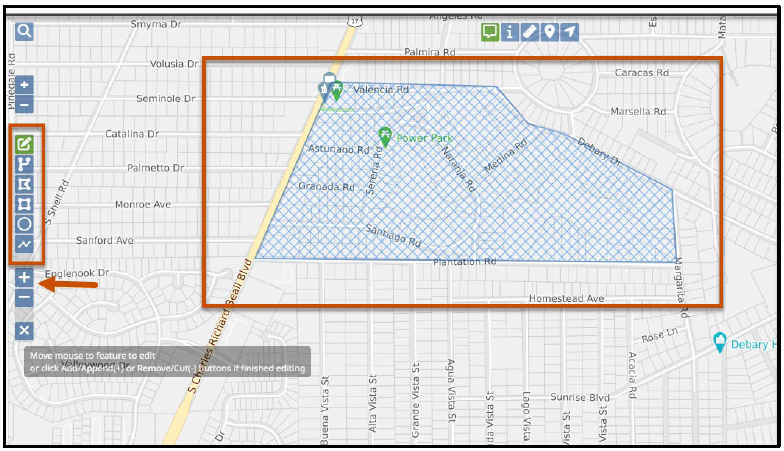
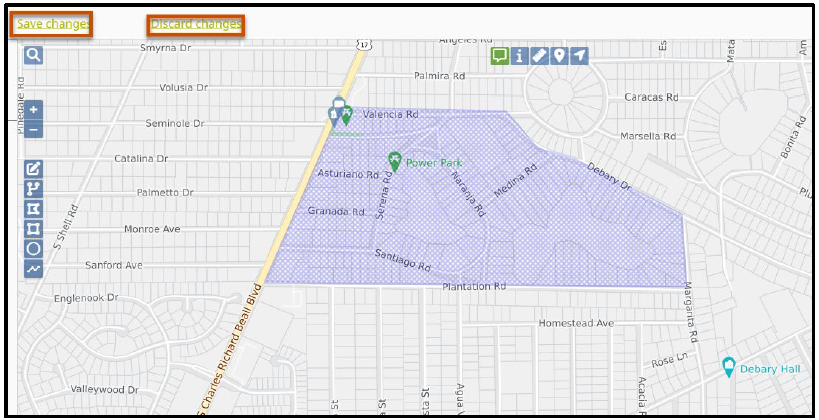
- Use the tools on the left to manually select your Service Area. draw the shape and double click your mouse when finished. Click the '+' sign to add.
- The shaded area will turn from blue to purple.
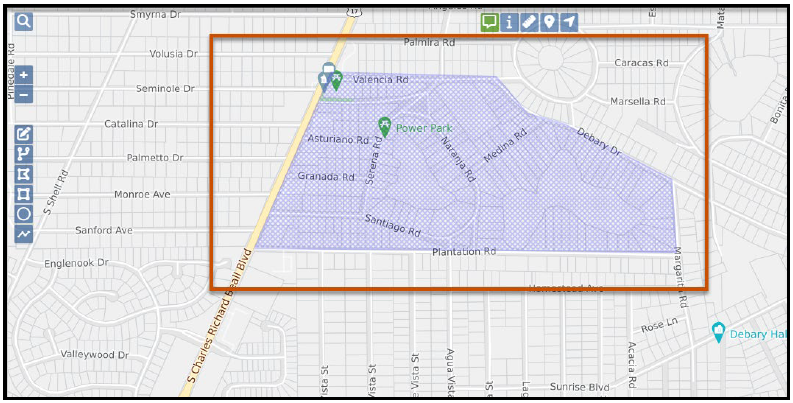
- Choose to Save or Discard changes.
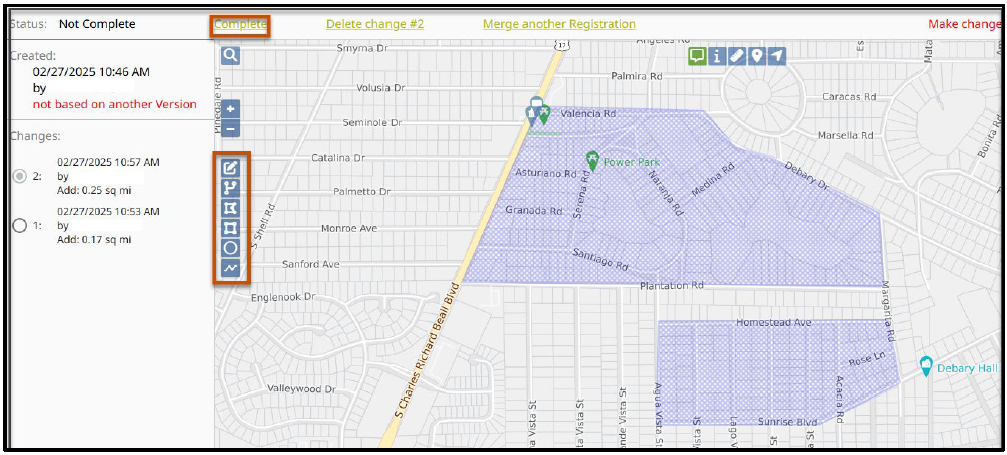
- To add more areas, choose a tool on the left and draw. Follow the steps listed previously. If you are finished, click 'Complete'.
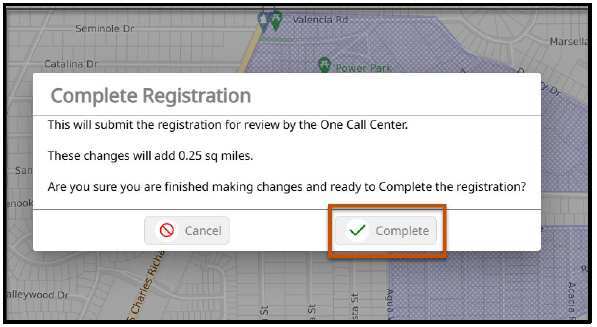
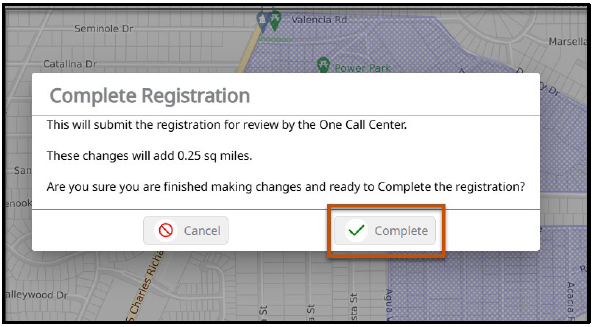
- Click 'Complete' on the Complete Registration pop-up.
To Add Service Area Using a Shape File.
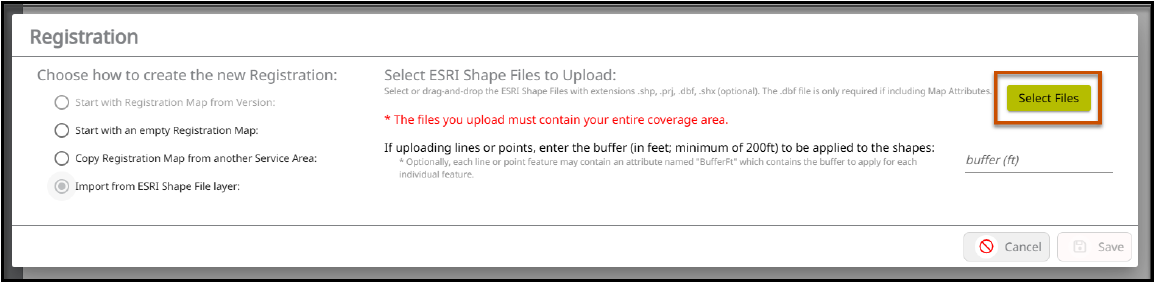
- Click the radio button to 'Import from ESRI Shape File layer'.
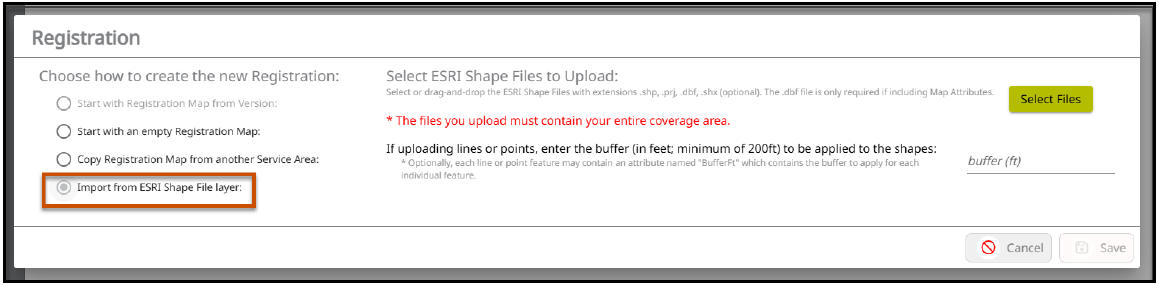
- Click on 'Select Files'.
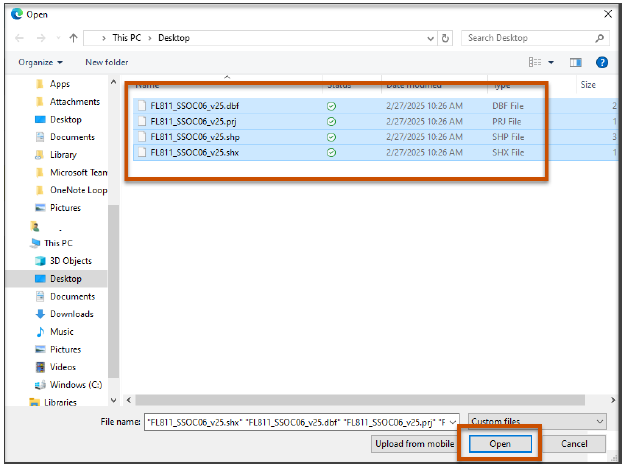
- Select files and click on 'Open'.
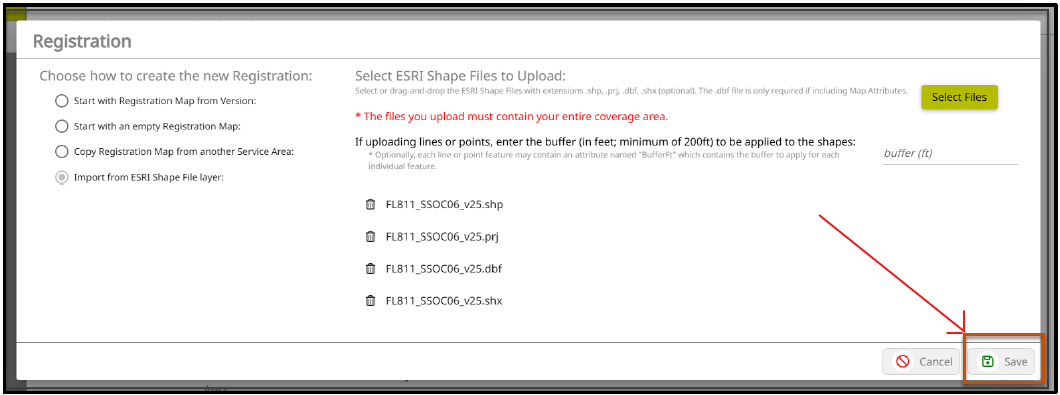
- Click on 'Save'.
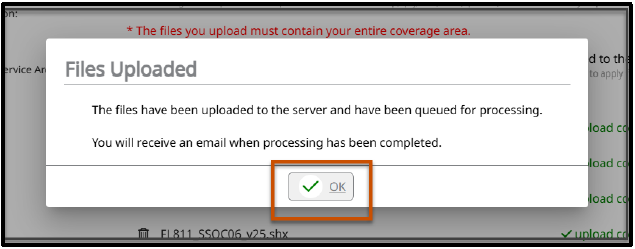
- An email will be sent to you when the processing has been completed. Click 'OK' on the 'Files Uploaded' confirmation message.
- After you receive the email, go back to the Registrations tab and click 'View Map'.

- Verify the Service Area is complete. Click 'Complete'.
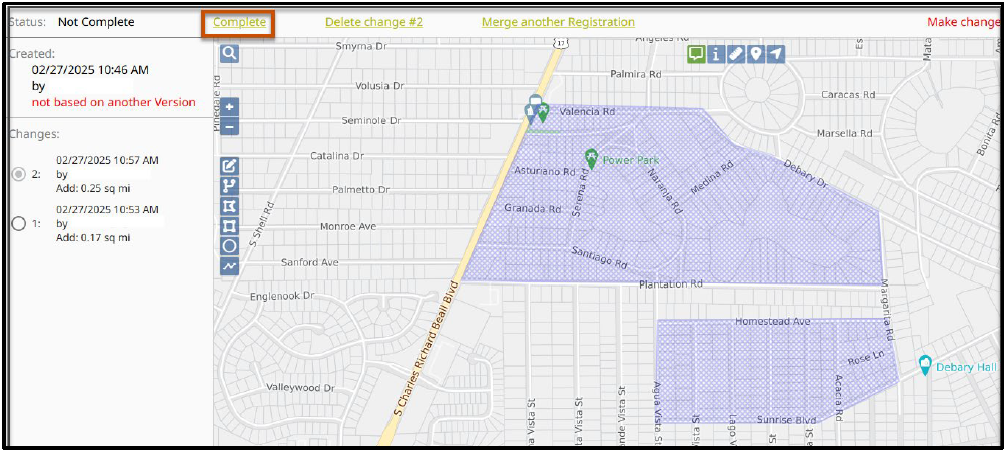
- Click on the 'Complete Registration' pop-up.
Remember: You can always get assistance with these steps by contacting the Sunshine 811 Member Services Department during normal business hours (Mon-Fri, 7AM-6PM). Just dial 811 (or 800-432-4770) on your phone and select Option 3 at the voice menu in order to speak with a Member Service Representative.
Was this article helpful?
That’s Great!
Thank you for your feedback
Sorry! We couldn't be helpful
Thank you for your feedback
Feedback sent
We appreciate your effort and will try to fix the article